Monitor and debug
Each router has its own page with five tabs. This guide covers what each is for, and how to read a single routing decision.
The tabs
| Tab | Use it to |
|---|---|
| Activity | See individual requests, plus spend, savings, latency, and model mix. Filter by time range, model, and call kind. |
| Metrics | Watch the router over time, with charts refreshed every 15 seconds. |
| Sessions | Replay agent sessions, with calls grouped by session. |
| Connect | Copy code for calling the router. See connect an app or agent. |
| Configuration | See and edit the router's settings: the default model, the models in the catalog, pricing, the confidence threshold, and stored provider keys. |
Activity
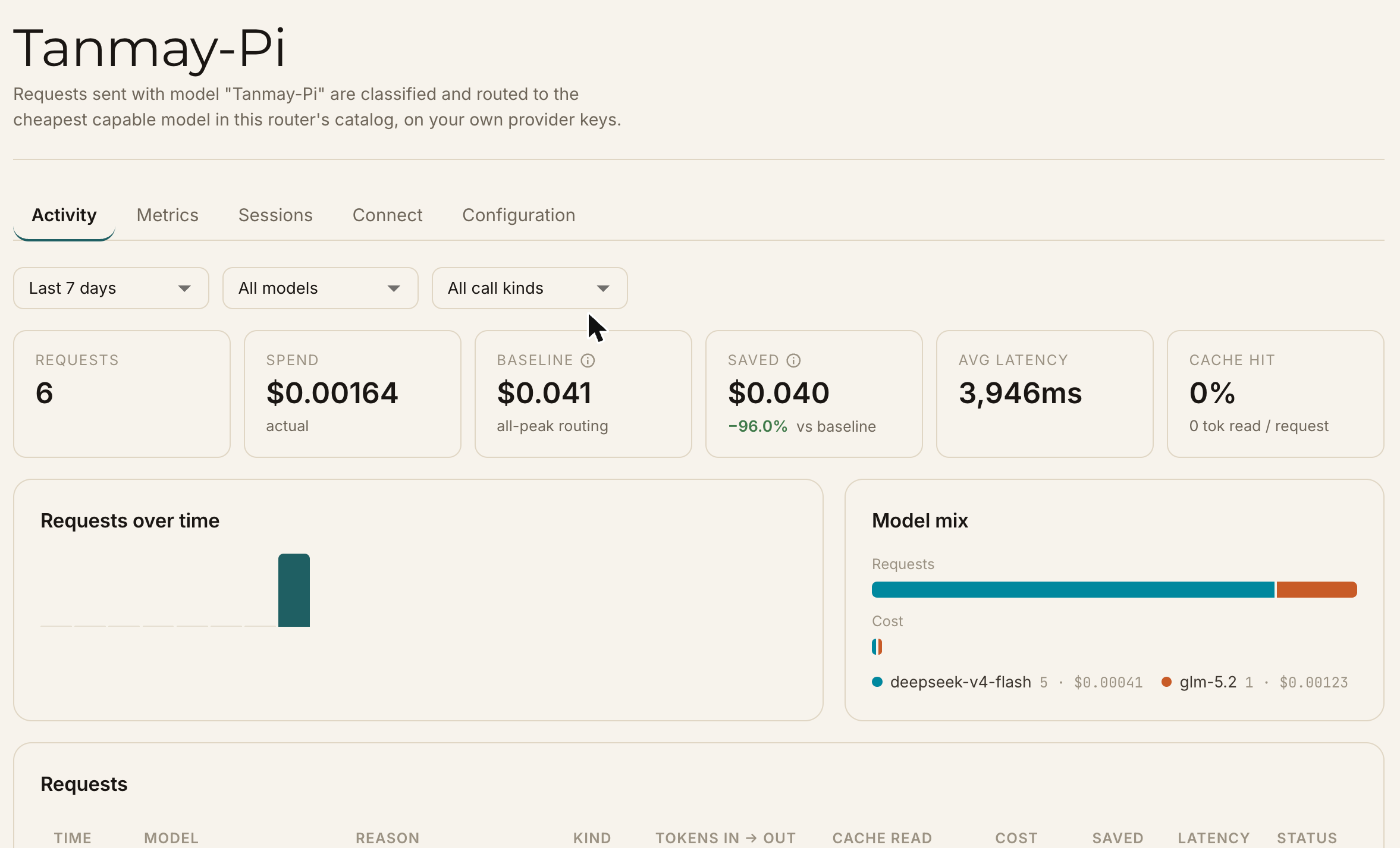
The top of the page summarizes the selected time range:
| Tile | Meaning |
|---|---|
| Requests | How many requests the router handled. |
| Spend | What those requests actually cost. |
| Baseline | What the same requests would have cost on the router's default model. |
| Saved | Baseline minus spend, with the percentage. |
| Avg latency | Mean end-to-end latency. |
| Cache hit | Share of prompt tokens read from cache. |
Below the tiles, Requests over time and Model mix show how traffic and cost split across models, and a Requests table lists each call with its model, routing reason, tokens in and out, cache read, cost, saving, latency, and status.
Read a routing decision
Click any request to open its Request detail. It answers "why did this go there?" without guessing.
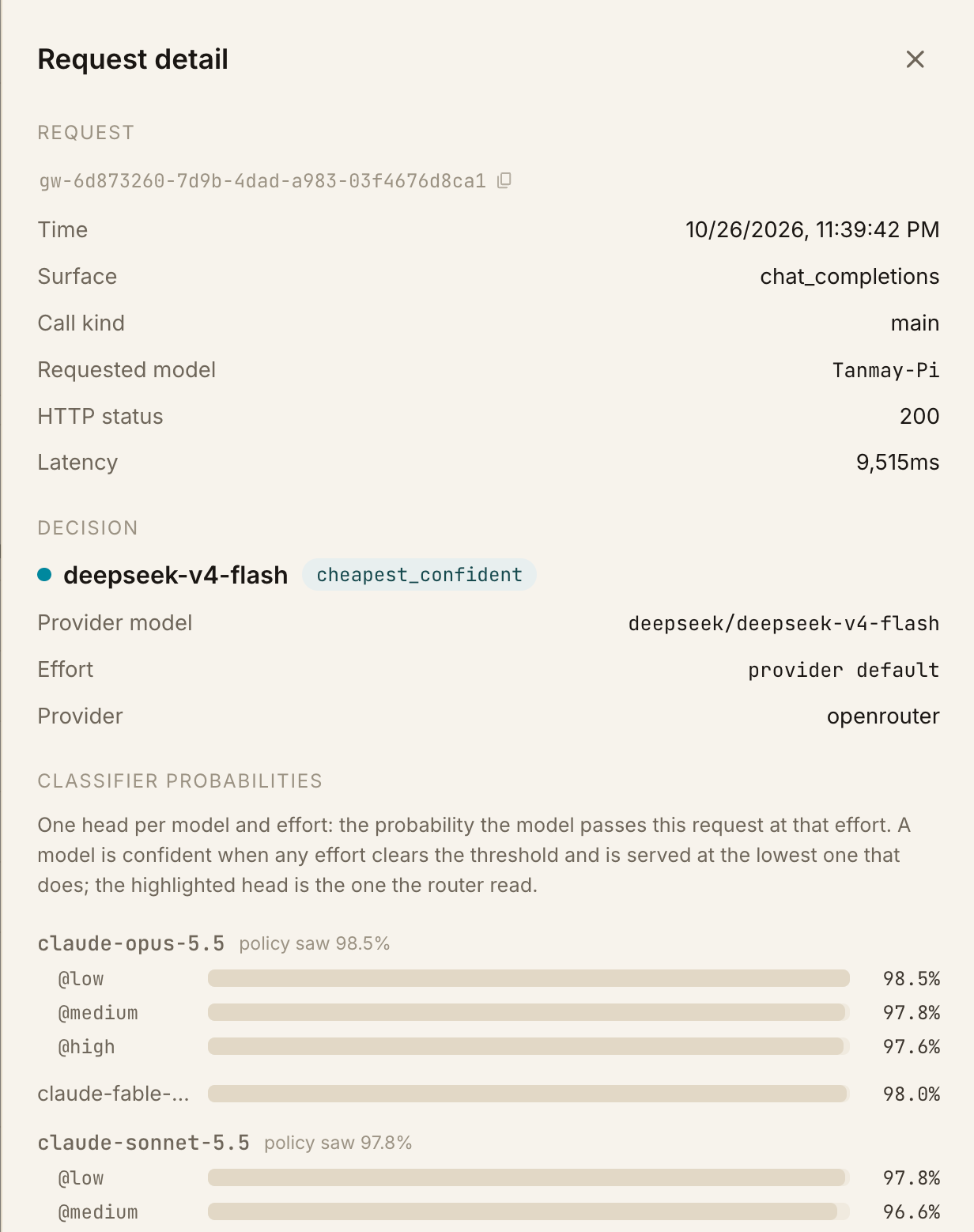
Decision
The model that served the request, and the routing reason that explains the choice. It also shows the provider model ID, the effort the model was run at, and the provider.
Classifier probabilities
The router's classifier has one head per model and effort: the probability that the model passes this request at that effort. A model is confident when any effort clears the threshold, and it's served at the lowest effort that does. The highlighted head is the one the router read.
The list covers every model the router scores, not only the ones in your catalog. That's how you spot models you haven't enabled that would have been confident. See migrate to new models.
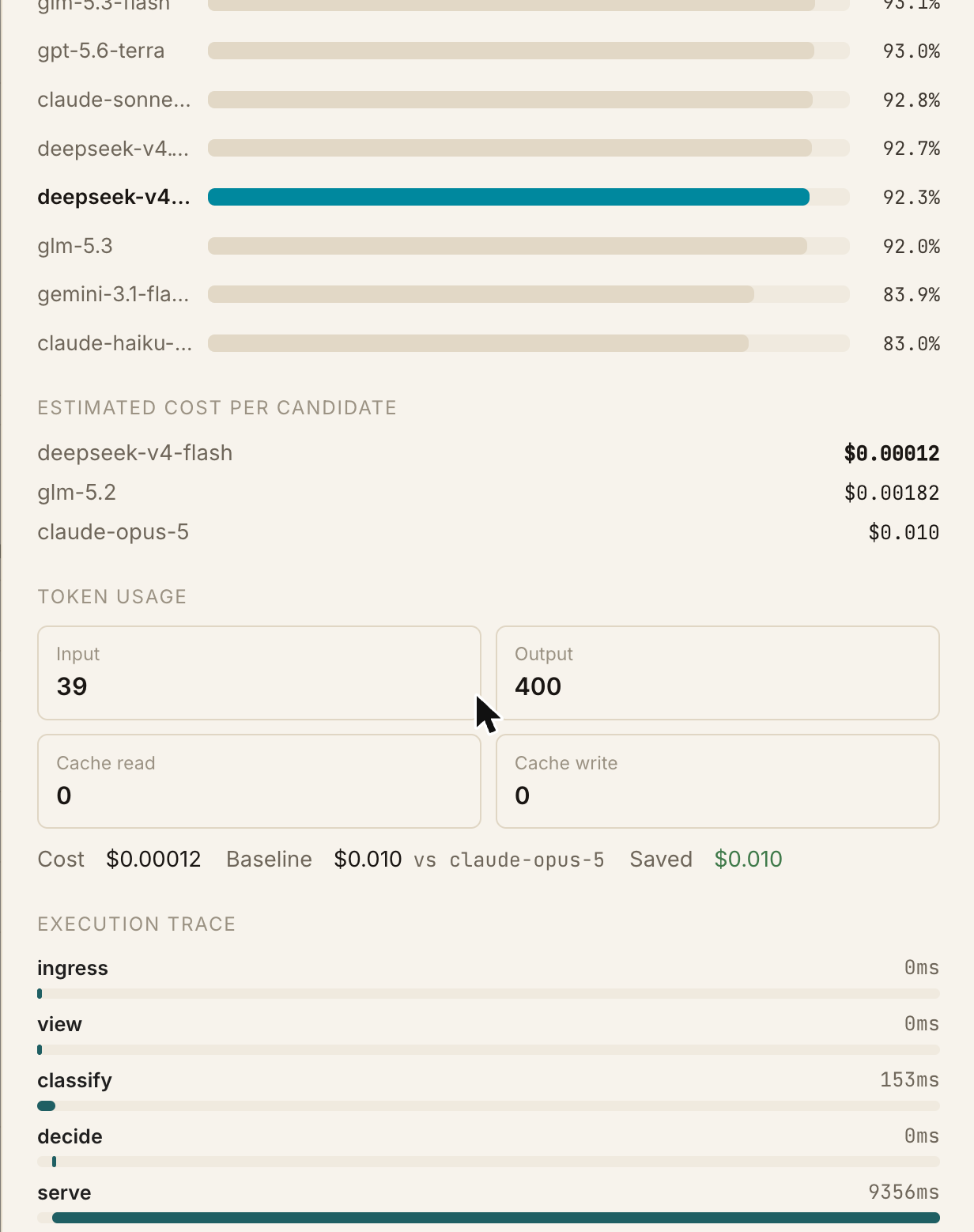
Estimated cost per candidate
The expected cost of this request on each model in your catalog, which is what the router ranks the confident models by. See how a routing decision is made.
Token usage and savings
Input, output, cache read, and cache write tokens, with the request's cost, its baseline against the default model, and the amount saved.
Execution trace
How long each stage took: ingress, view, classify, decide, serve, and complete. It
separates the routing decision, which is classify and decide, from the time the provider took to
serve the request.
Input and output
If the router stores session replay, the detail also shows the request's input and the model's output. With zero data retention on, the router doesn't keep them. See Sessions and replay.
Routing reasons
| Reason | Meaning |
|---|---|
cheapest_confident | At least one model was confident, and the cheapest of them served the request. |
default_no_confident | No model cleared the confidence threshold, so the request went to the default model. |
| Escalation | The default wasn't confident, and the only confident model was more expensive, so the request went to that model. |
For how these come out of the decision, see how a routing decision is made.
Metrics
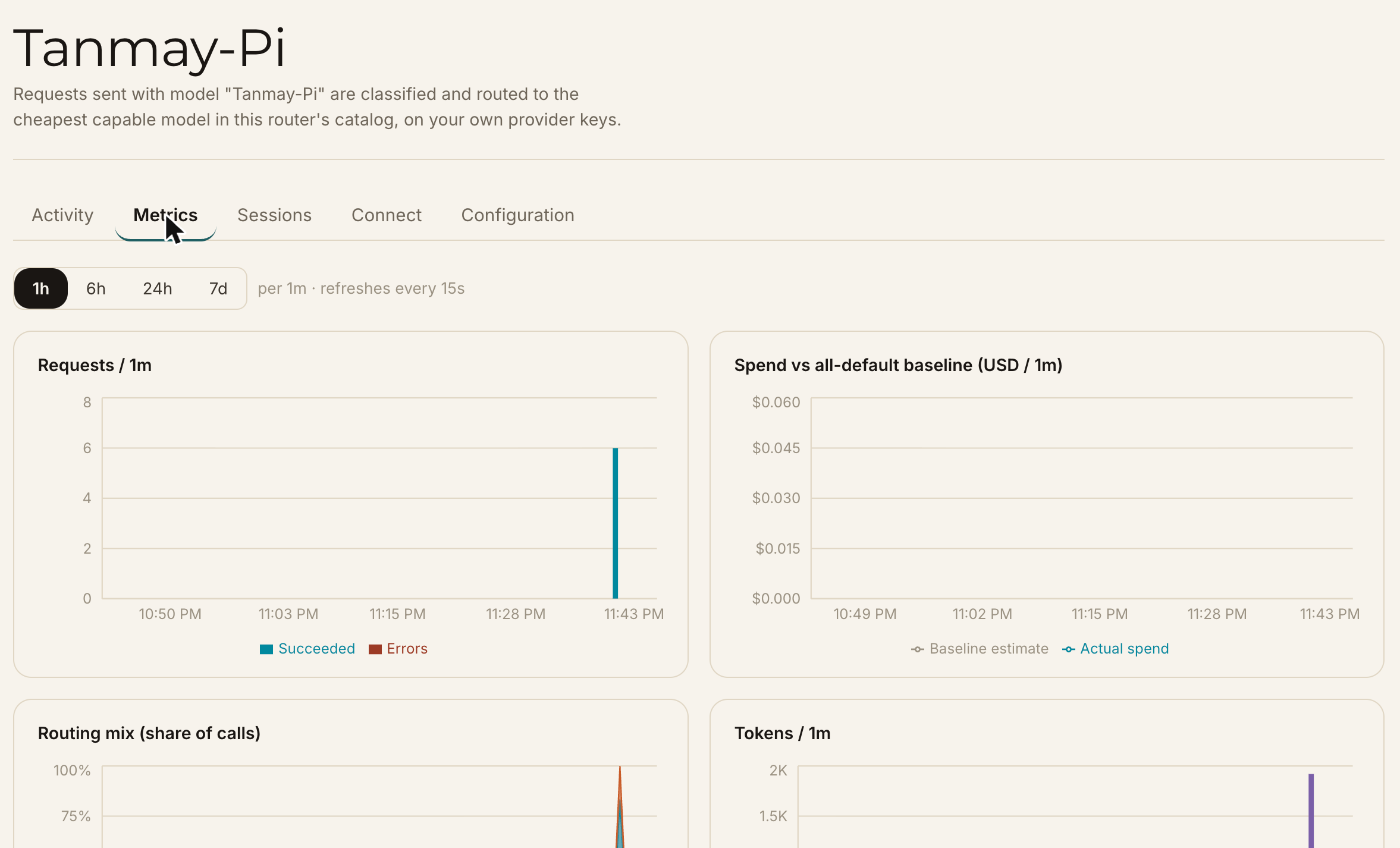
Metrics charts the router over time. Choose 1 hour, 6 hours, 24 hours, or 7 days, and the charts refresh every 15 seconds:
- Requests, split into succeeded and errors.
- Spend vs. the all-default baseline.
- Routing mix: each model's share of calls.
- Tokens: fresh input, cached read, and output.
- Cache hit rate: cached read as a share of prompt tokens.
- Mean latency.
The baseline prices each request against the default model that was configured when it was served, so it stays honest if you change the default later.
Sessions and replay
Sessions groups calls by the agent session id. A session appears once an agent sends a session header, which Claude Code does automatically. Rows without a session id aren't replayable, but still appear in Activity.
Replay needs stored session data. If zero data retention is on, Emissary doesn't keep input, output, or session replay data. It stores only routing decisions, token counts and cost telemetry. The router list shows each router's setting under Data retention.
Diagnose common situations
| You see | Likely cause | What to try |
|---|---|---|
Most requests go to the default model, with default_no_confident | The threshold is high for your catalog, or no model in it covers this traffic | Lower the threshold, or add a model that fits the traffic |
| Requests are escalating to expensive models often | The default model is a weak one, so pricier models keep stepping in | Pick a stronger default model |
| A cheap model never serves | Its probability is below the threshold on your traffic | Check its head in Classifier probabilities before lowering the threshold |
| An image request went somewhere unexpected | The catalog may not include many vision-capable models | Check the Vision column on the Configuration tab |
| Cost isn't what you expected | The router ranks on the prices it has | Check your pricing, and Estimated cost per candidate |
| Savings look low | The traffic is hard, or the catalog's cheaper models aren't covering it | Compare Model mix with the baseline, and see what emerges from routing |
For what the aggregate picture can tell you about your workload, see what emerges from routing.