Connect an app or agent
Every router is reached through one gateway URL. It's compatible with the OpenAI and Anthropic APIs,
so the official SDKs, any compatible library, and plain HTTP all work. You send your router's name
as the model, and authenticate with your Emissary platform API key from
Settings → Credentials.
To switch an existing integration, change two things: the base URL, and the model string.
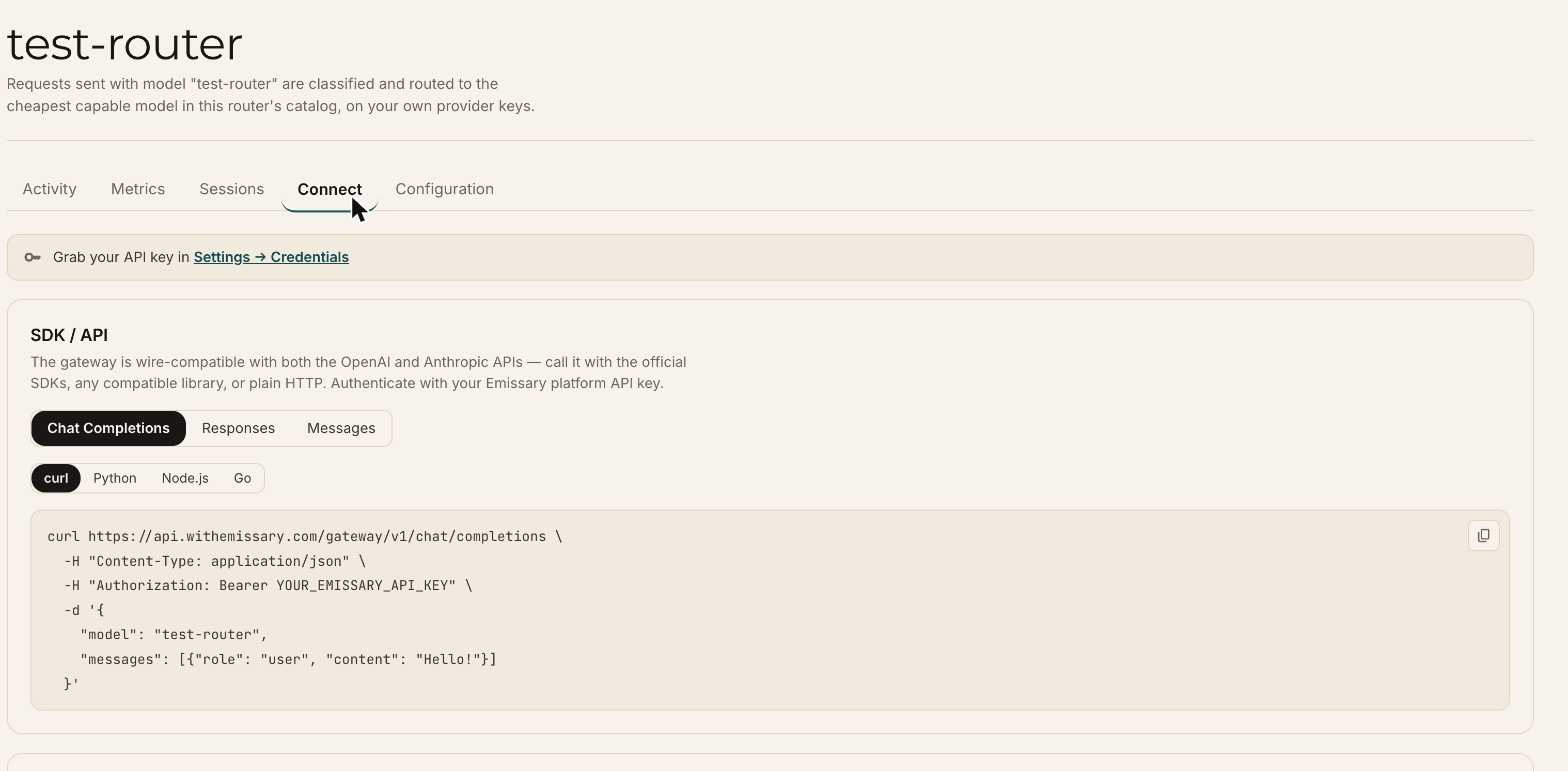
The Connect tab on each router shows ready-to-copy examples with its name filled in.
SDKs and HTTP
| API | Base URL |
|---|---|
| OpenAI-compatible (Chat Completions, Responses) | https://api.withemissary.com/gateway/v1 |
| Anthropic-compatible (Messages) | https://api.withemissary.com/gateway |
OpenAI SDK
from openai import OpenAI

client = OpenAI(
    base_url="https://api.withemissary.com/gateway/v1",
    api_key="YOUR_EMISSARY_API_KEY",
)

response = client.chat.completions.create(
    model="my-router",
    messages=[{"role": "user", "content": "Hello!"}],
)
print(response.choices[0].message.content)
Anthropic SDK
import anthropic

client = anthropic.Anthropic(
    base_url="https://api.withemissary.com/gateway",
    api_key="YOUR_EMISSARY_API_KEY",
)

message = client.messages.create(
    model="my-router",
    max_tokens=1024,
    messages=[{"role": "user", "content": "Hello!"}],
)
print(message.content[0].text)
curl
curl https://api.withemissary.com/gateway/v1/chat/completions \
  -H "Content-Type: application/json" \
  -H "Authorization: Bearer YOUR_EMISSARY_API_KEY" \
  -d '{
    "model": "my-router",
    "messages": [{"role": "user", "content": "Hello!"}]
  }'
The Connect tab also shows examples for Node.js and Go, and for the Responses and Messages APIs.
What comes back
The response is in the format of the API you called. Its model field reports the provider model
that served the request, such as deepseek/deepseek-v4-flash, so you can see which model the
router chose without opening the dashboard. Usage, including cost, comes back in the usual
usage field.
Coding agents
Point a coding agent at the gateway and every request it makes is routed. For Claude Code, run the following in your shell and then start it:
export ANTHROPIC_BASE_URL=https://api.withemissary.com/gateway
export ANTHROPIC_API_KEY='YOUR_EMISSARY_API_KEY'
export ANTHROPIC_MODEL='my-router'
export ANTHROPIC_DEFAULT_HAIKU_MODEL='my-router'
claude
The Connect tab has setup instructions for Pi, Codex, Hermes, and omp as well.
Sessions
Calls are grouped into sessions by an agent session header. Claude Code sends one automatically, and other agents show up in Sessions once they send one. Calls without a session id still appear in Activity, but can't be replayed. See monitor and debug.