Create Your First ModelRouter
Router automatically sends each query to the model best suited to handle it — a small, fast model for simple questions, a heavyweight reasoning model for complex ones — so you don't hard-code one model for every request.
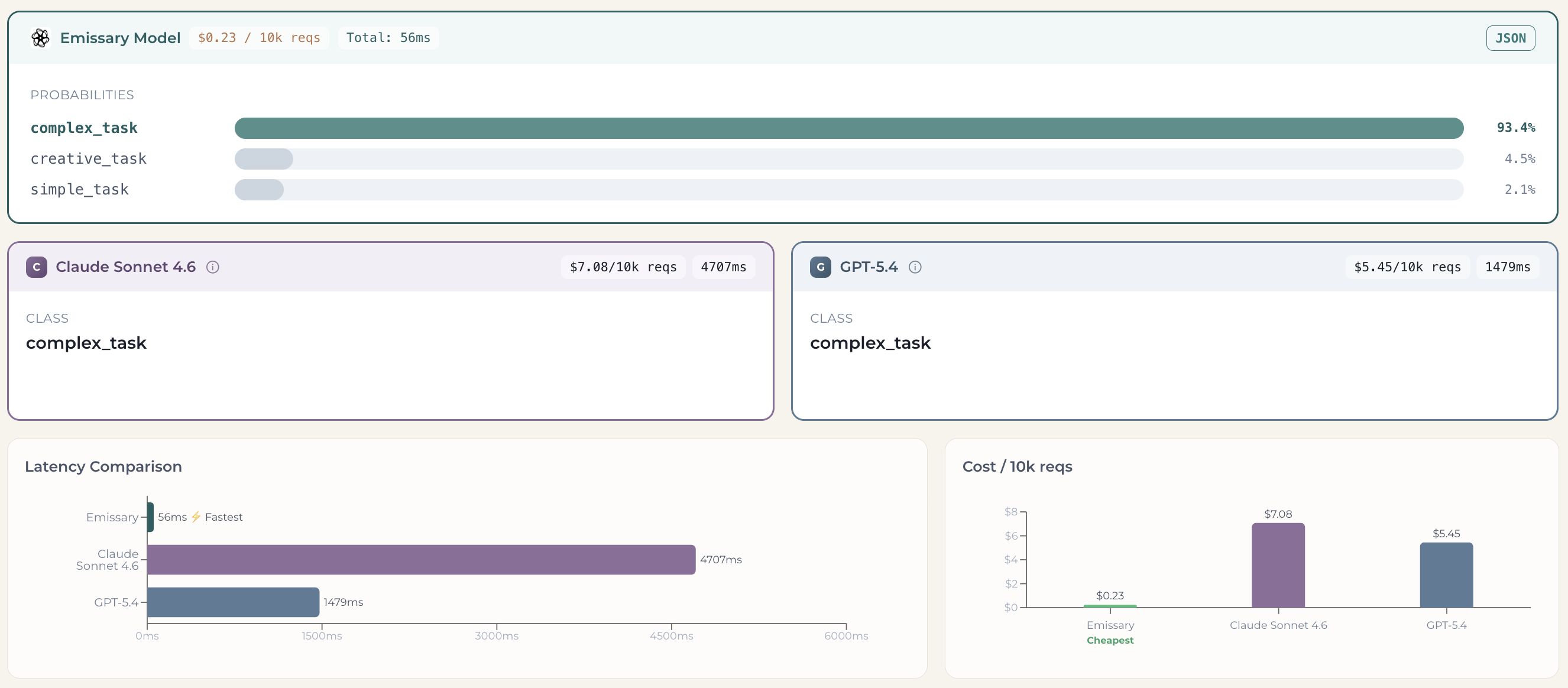
Emissary makes that routing decision with a small, purpose-built classifier rather than a full frontier model. It picks the right route in about 56 ms at $0.23 per 10k requests, versus the 1.5–4.7 seconds and $5–7 per 10k requests a frontier model takes to make the same call (see the side-by-side comparison in Path A). And because each query goes to the right-sized model, you avoid paying top-tier prices on requests a smaller model handles just as well.
You can create your first router three ways. Pick whichever fits:
- Path A — Public Playground (no signup): the fastest way to see it work.
- Path B — Dashboard (UI): build and save a router from your dashboard.
- Path C — Dashboard (API): create the same router programmatically.
All three share the same building block, defined once below.
Core concept: Routes
A router is defined by its routes — the set of destinations a query can be sent to. Each route has two fields:
- Name — a short identifier for the destination (e.g.,
simple_task,Claude Opus,GPT 5). It's the label that appears in your results, so keep it concise. - Description — what kind of query should go to this route. Be specific; this is what the router matches an incoming query against (e.g., "Complex queries requiring reasoning, code generation, or multi-step analysis.").
For each query, the router returns a probability per route, and the route with the highest probability is the one to send the query to. Every path below is just a different way to define these routes.
Path A — Public Playground (no signup)
Open the public playground. You'll land on a ready-to-use router with our default configuration: a simple task router that sorts a query by complexity into simple_task, complex_task, or creative_task. Type any input and hit Run — no sign-in required.

You'll get the router's decision alongside the same input run through frontier models (Claude, GPT), so you can compare result, latency, and cost side by side. In this example the Tower-of-Hanoi task is classified as complex_task (93.4%), and all three models agree on complex_task — but Emissary returns that decision in ~56 ms for $0.23 / 10k requests, versus seconds and dollars for the frontier models.
Customize your router
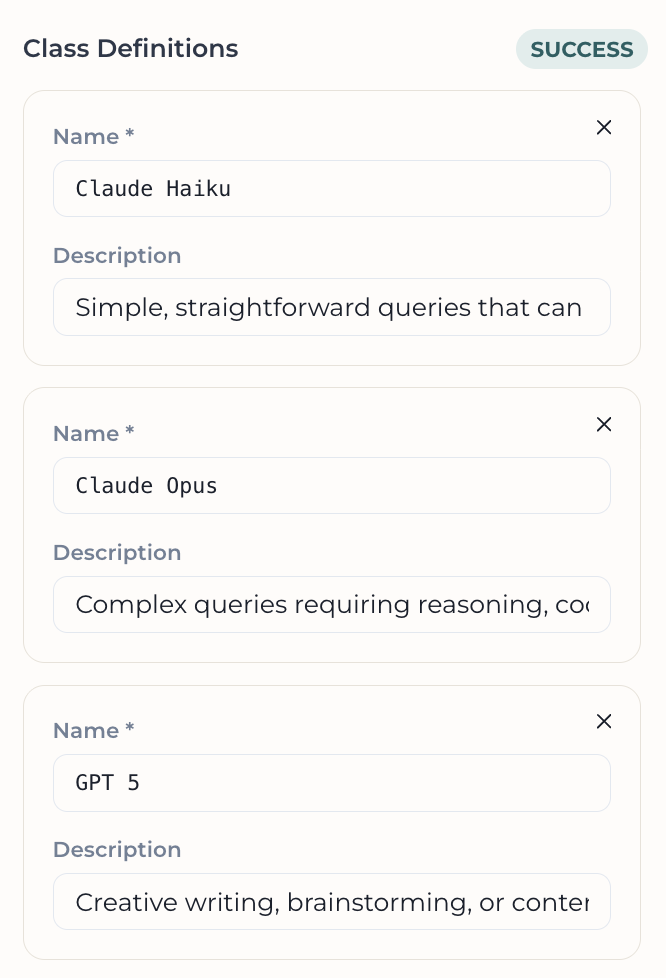
The default task router only labels complexity. To make it route to actual models, edit the list of routes in the left sidebar. For example, to route between three models:
| # | Name | Description |
|---|---|---|
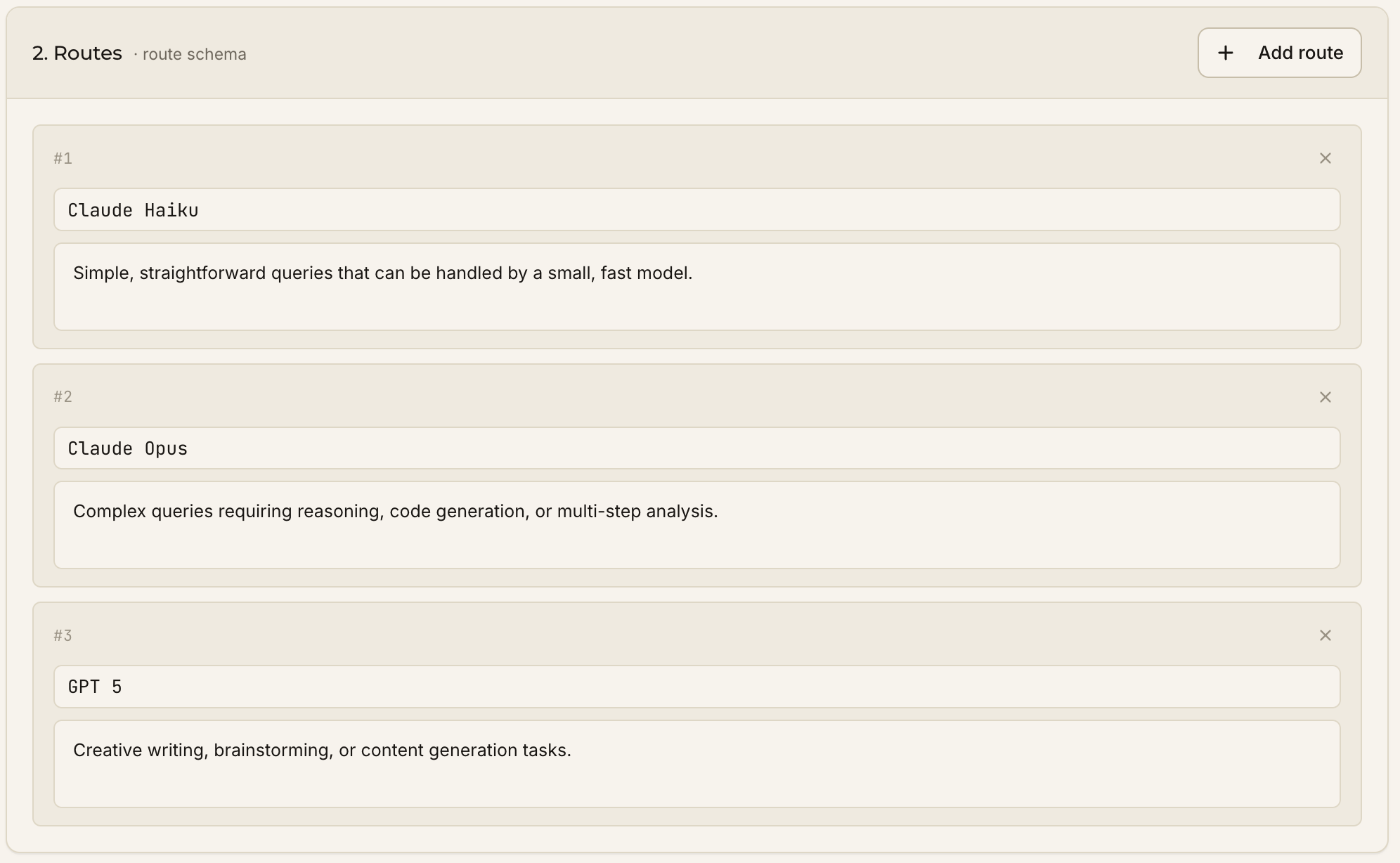
| 1 | Claude Haiku | Simple, straightforward queries that can be handled by a small, fast model. |
| 2 | Claude Opus | Complex queries requiring reasoning, code generation, or multi-step analysis. |
| 3 | GPT 5 | Creative writing, brainstorming, or content generation tasks. |
Hit Save. That's it — you've built a custom router. Test it with any input to see where it routes.
Deploy & integrate
When you're ready, hit Deploy in the Ready to integrate? section to turn your playground router into a live API endpoint. (Sign up / sign in to get your API key.)
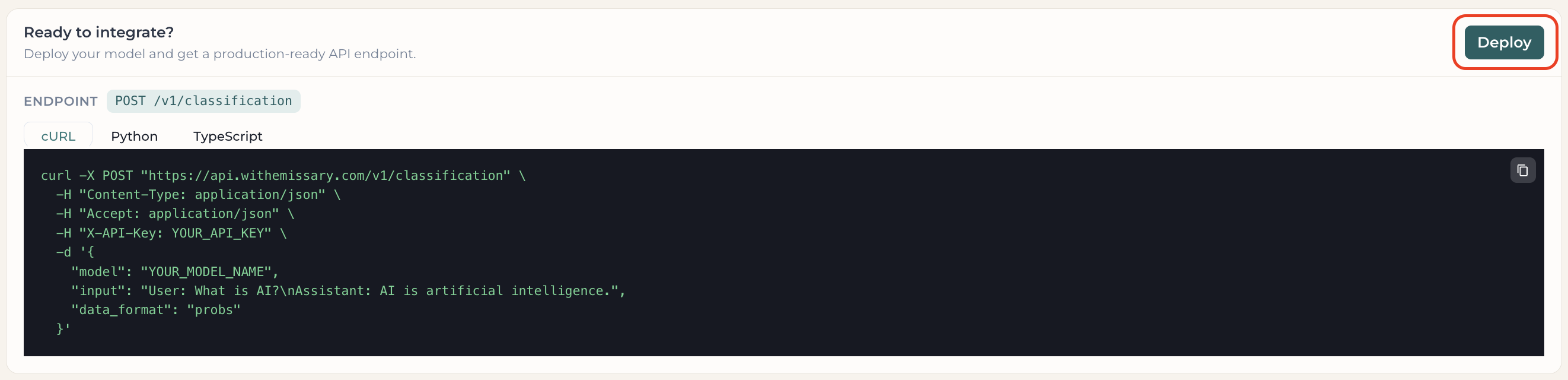
Your router is saved as an Experiment, and the Integration tab gives you a copy-paste snippet with your real model name and key prefilled. See Integration below.
Path B — Dashboard (UI)
From the Playground tab, click New experiment.
1. Identity & mode
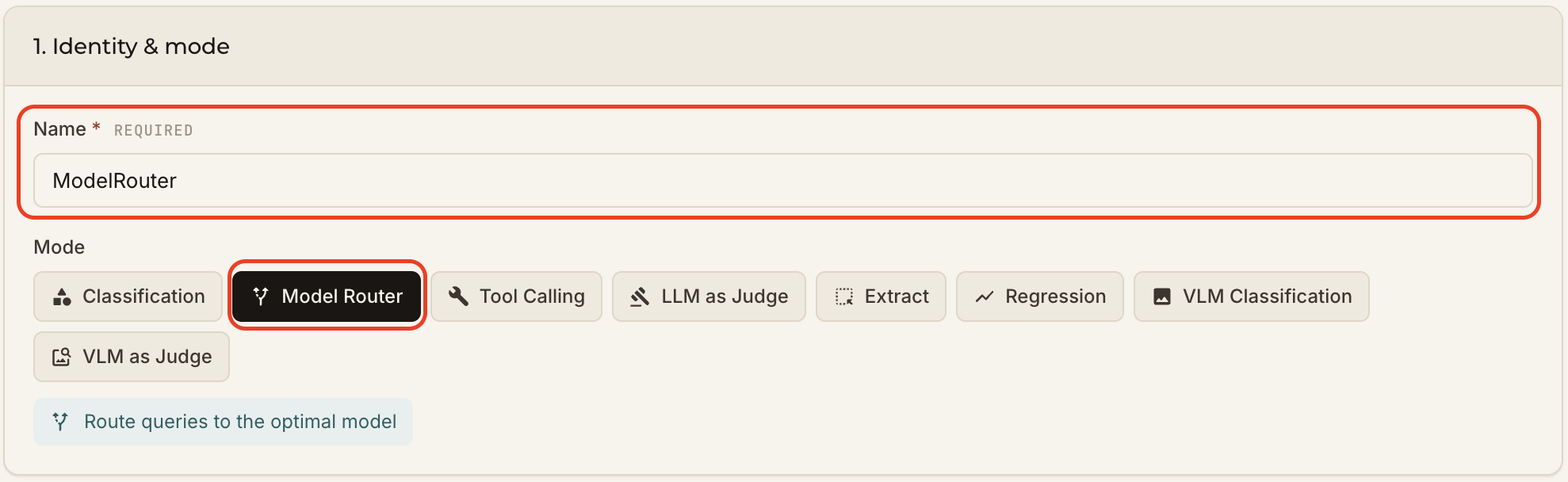
- Name — how you'll recognize this experiment in the Playground list (e.g.,
ModelRouter). - Mode — select Model Router.
2. Router config
Define each route's Name and Description (defined above). We'll use the same three routes as in Path A. Add more by clicking Add route at the top right.
Click Create & run zero-shot
Test it
From the Playground tab, type any input ("Design and implement a infrastructure platform") and hit Run to see your router's decision next to the frontier models.
![test-router(/img/quickstart/router/test-router.png)
Ready to ship it? Head to Integration.
Path C — Dashboard (API)
Prefer code? Create the same ModelRouter programmatically. You can create an API key under Settings → Credentials.
1. Create the experiment
import json
import requests

response = requests.post(
    "https://api.withemissary.com/v1/experiments",
    headers={
        "Content-Type": "application/json",
        "X-API-Key": YOUR_API_KEY,
    },
    data=json.dumps({
        'name': 'ModelRouter',
        'mode': 'routing',
        'classes': [
            {'name': 'Claude Haiku',   'description': 'Simple, straightforward queries that can be handled by a small, fast model.'},
            {'name': 'Claude Opus',  'description': 'Complex queries requiring reasoning, code generation, or multi-step analysis.'},
            {'name': 'GPT 5', 'description': 'Creative writing, brainstorming, or content generation tasks.'}
        ]
    })
)
print(response.json())
{ "id": "ex-ahejacuehandheha", "latest_version": "0.0.0" }
2. Call the router
response = requests.post(
    "https://api.withemissary.com/v1/classification",
    headers={
        "Content-Type": "application/json",
        "X-API-Key": YOUR_API_KEY,
    },
    data=json.dumps({
        "model": "ex-ahejacuehandheha/0.0.0",  # <experiment_id>/<version>
        "input": "Design and implement a infrastructure platform",
        "data_format": "probs",
    }),
)
print(response.json())
{
    "id": "classify-fec5cbf726b44af2ade51065232ad182",
    "model": "ex-ahejacuehandheha/0.0.0",
    "data": [{
            "index": 0,
            "probs": {
                    "Claude Haiku": 0.09003042429685593,
                    "Claude Opus": 0.8626418709754944,
                    "GPT 5": 0.047327760607004166
            }
    }],
    "created": 1780085360
}
Claude Opus has the highest probability (~0.86), so the router would send this query to Claude Opus.
Integration
However you built your judge — Path A, B, or C — the Integration tab gives you a ready-to-use snippet.
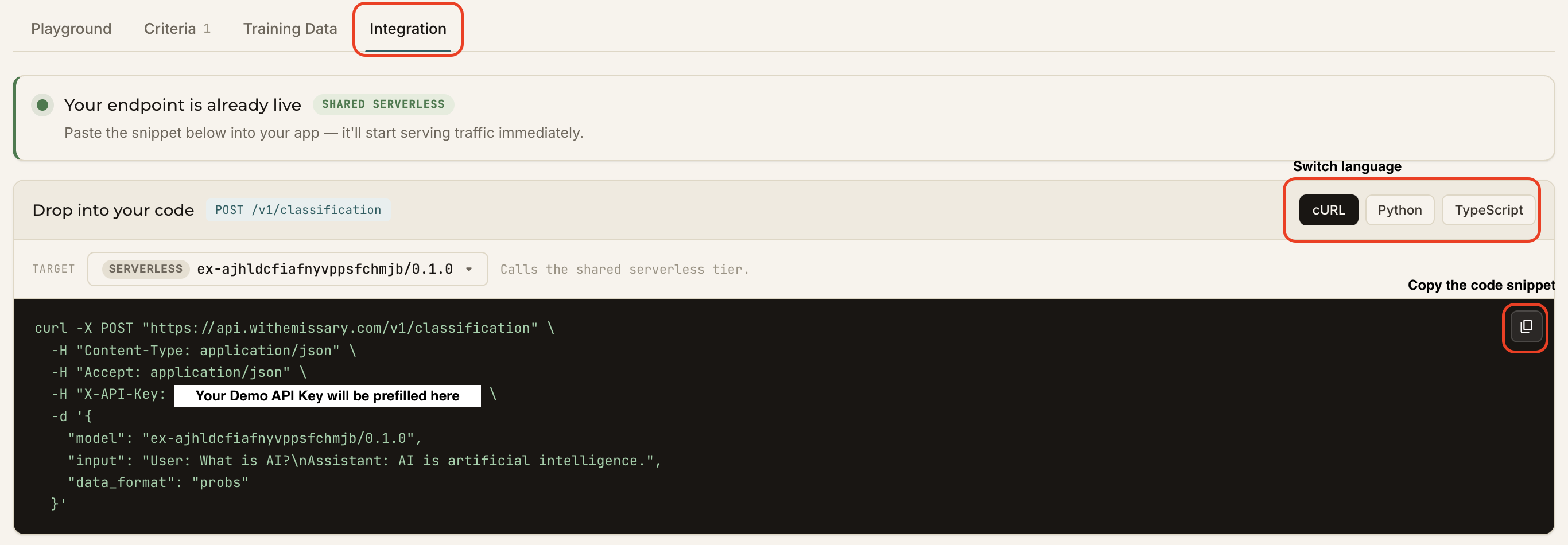
- Switch between cURL / Python / TypeScript.
- Your
<experiment_id>/<version>and API key are prefilled. - Copy it with one click and drop it into your app — the endpoint serves traffic immediately.
cURL example
curl -X POST "https://api.withemissary.com/v1/classification" \
  -H "Content-Type: application/json" \
  -H "Accept: application/json" \
  -H "X-API-Key: <YOUR_API_KEY>" \
  -d '{
    "model": "<experiment_id>/<version>",
    "input": "Design and implement a infrastructure platform",
    "data_format": "probs"
  }'
Response
{
    "id": "classify-fec5cbf726b44af2ade51065232ad182",
    "model": "ex-ahejacuehandheha/0.0.0",
    "data": [{
            "index": 0,
            "probs": {
                    "Claude Haiku": 0.09003042429685593,
                    "Claude Opus": 0.8626418709754944,
                    "GPT 5": 0.047327760607004166
            }
    }],
    "created": 1780085360
}
That's it — your router is live wherever you need it.