Create Your First Judge
LLM as Judge lets you score any text — a model's answer, a support reply, a user message — against criteria you define, and get back a calibrated probability instead of a vague verdict.
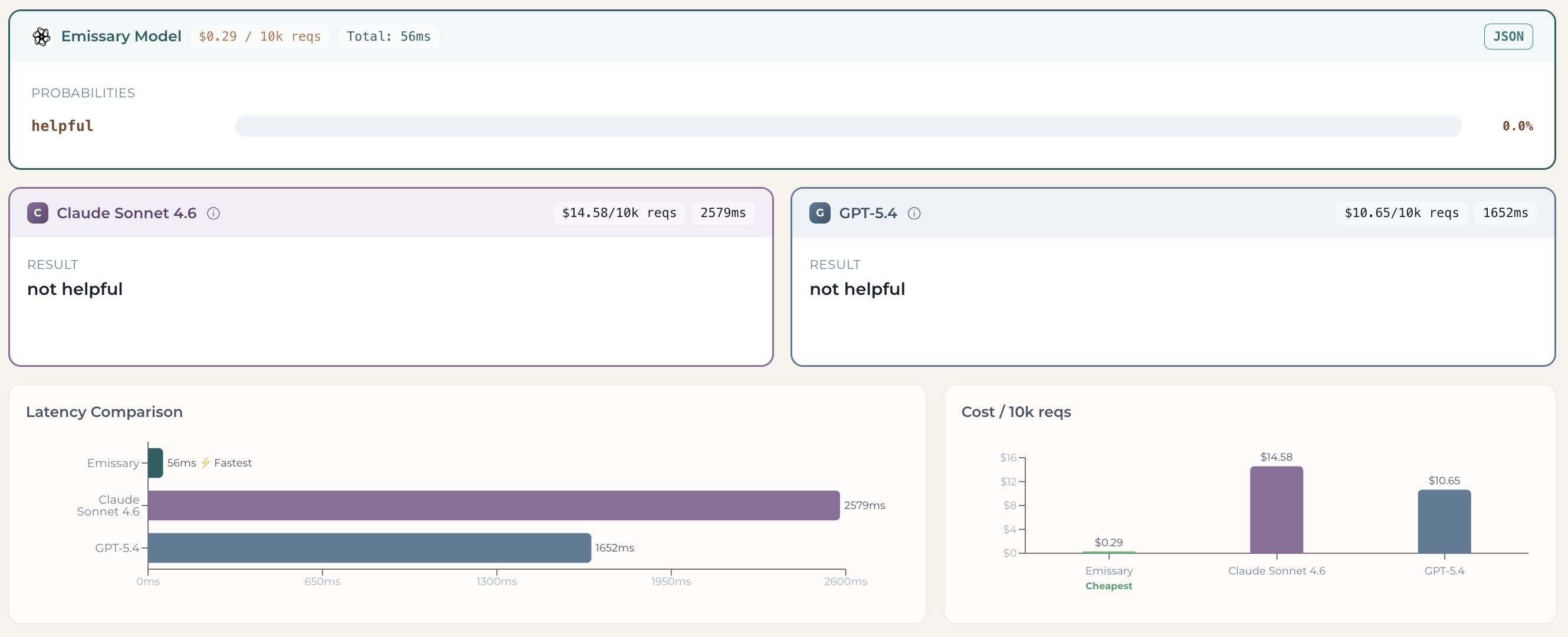
Emissary runs these judges as small, purpose-built classifiers rather than full frontier models. The result: a judgment that takes a frontier model 1.6–2.6 seconds and $10–15 per 10k requests returns on Emissary in about 56 ms at $0.29 per 10k requests — the same verdict, orders of magnitude faster and cheaper (see the side-by-side comparison in Path A).
You can create your first judge three ways. Pick whichever fits:
- Path A — Public Playground (no signup): the fastest way to see it work.
- Path B — Dashboard (UI): build and save a judge from your dashboard.
- Path C — Dashboard (API): create the same judge programmatically.
All three share the same two building blocks, defined once below.
Core concepts: Metric & Criteria
Every judge is defined by two fields:
- Metric — a short identifier for what you're measuring (e.g.,
helpful,anger,factual_accuracy). It's the label your result appears under, so keep it concise. - Criteria — the instruction the judge uses to score each input, phrased as a yes/no question. Be specific about what a "YES" looks like. It can be one line ("Does the response directly answer the user's question?") or a detailed rubric ("Label YES if the response is factually correct, cites relevant sources, and avoids speculation; NO for unsupported or hallucinated claims. Is the response factually accurate?").
Every path below is just a different way to set these two fields.
Path A — Public Playground (no signup)
Open the public playground. You'll land on a ready-to-use judge with our default configuration: a simple helpful judge that decides whether an assistant's answer actually helps the user. Type any input and hit Run — no sign-in required.

You'll get the judge's verdict alongside the same input run through frontier models (Claude, GPT), so you can compare result, latency, and cost side by side. In this example the dismissive answer scores 0% helpful across all three — but Emissary returns that verdict in ~56 ms for $0.29 / 10k requests, versus seconds and dollars for the frontier models.
Customize your judge
The default helpful judge is intentionally minimal. To make it your own, edit the Metric and Criteria in the left sidebar. For example, to build a judge that detects anger:
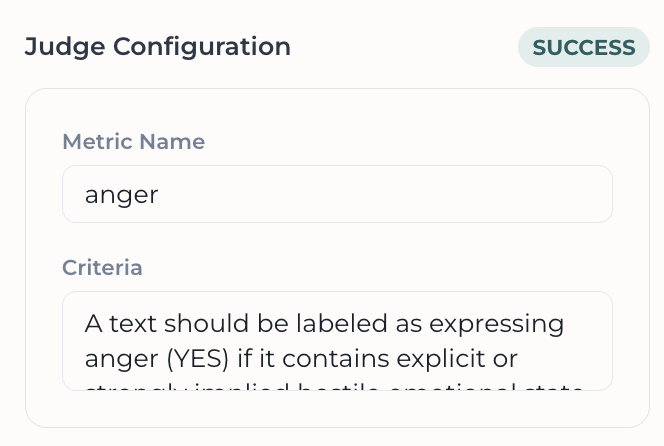
- Metric:
anger - Criteria: A text should be labeled as expressing anger (YES) if it contains explicit or strongly implied hostile emotional state directed at a target (person, group, system, or situation), characterized by emotional agitation and adversarial tone. This includes expressions of irritation, frustration, outrage, resentment, or contempt when they are intensified and accompanied by blame, condemnation, or rejection. Indicators include derogatory language, insults, profanity used in a hostile manner, accusatory phrasing, emotionally charged criticism, dismissive or demeaning statements, emphatic negativity (e.g., “this is unacceptable,” “I’m sick of this,” “what the hell is wrong with this”), or any language implying loss of patience or emotional control. Passive or neutral disagreement, calm critique, or factual negative evaluation without emotional escalation should NOT be labeled as anger. The key requirement is the presence of an emotionally activated, antagonistic stance rather than mere negativity or disagreement. Does this text express anger?
Hit Save. That's it — you've built a custom judge. Test it with any input ("I'm so mad!") to see how it scores.
Deploy & integrate
When you're ready, hit Deploy in the Ready to integrate? section to turn your playground judge into a live API endpoint. (Sign up / sign in to get your API key.)
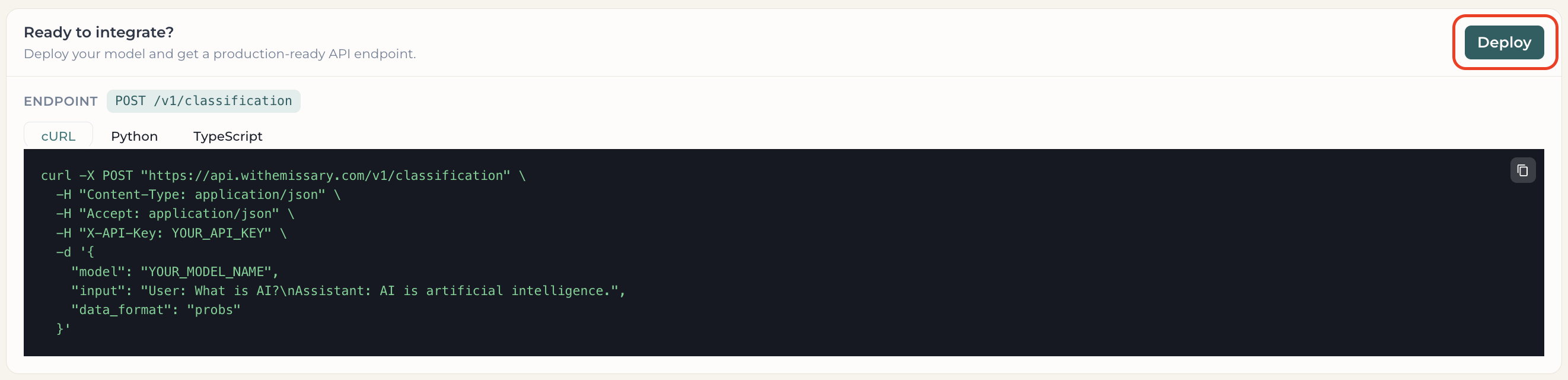
Your judge is saved as an Experiment, and the Integration tab gives you a copy-paste snippet with your real model name and key prefilled. See Integration below.
Path B — Dashboard (UI)
From the Playground tab, click New experiment.
1. Identity & mode
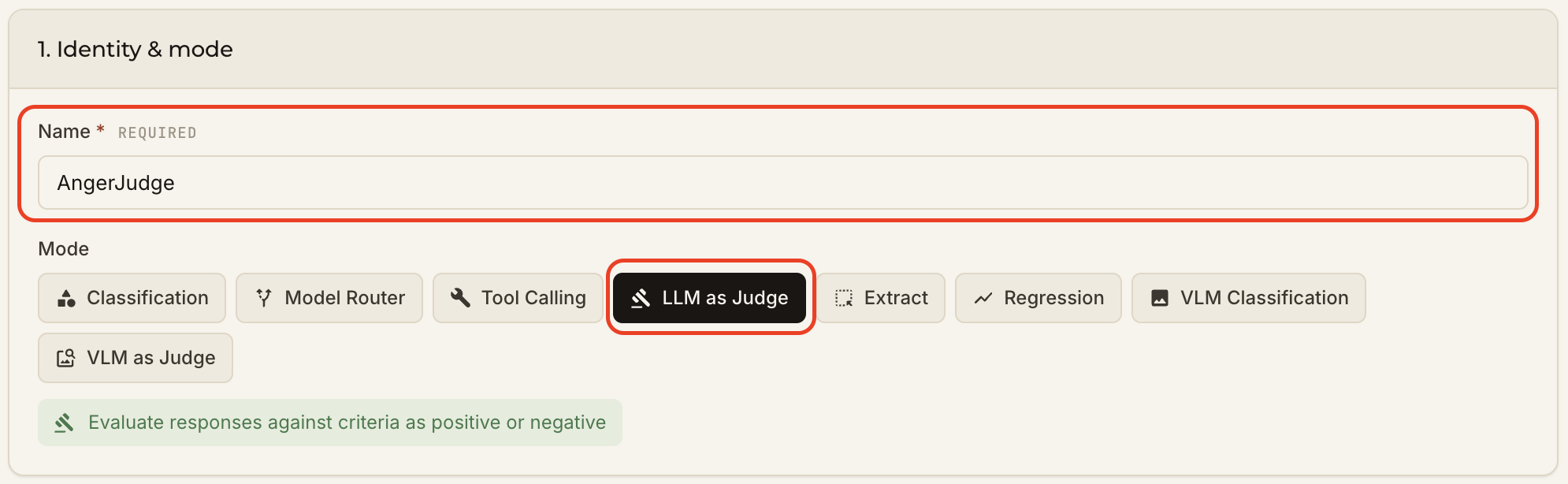
- Name — how you'll recognize this experiment in the Playground list (e.g.,
AngerJudge). - Mode — select LLM as Judge.
2. Judge config
Fill in the Metric and Criteria (defined above). We'll use the same anger judge as in Path A.
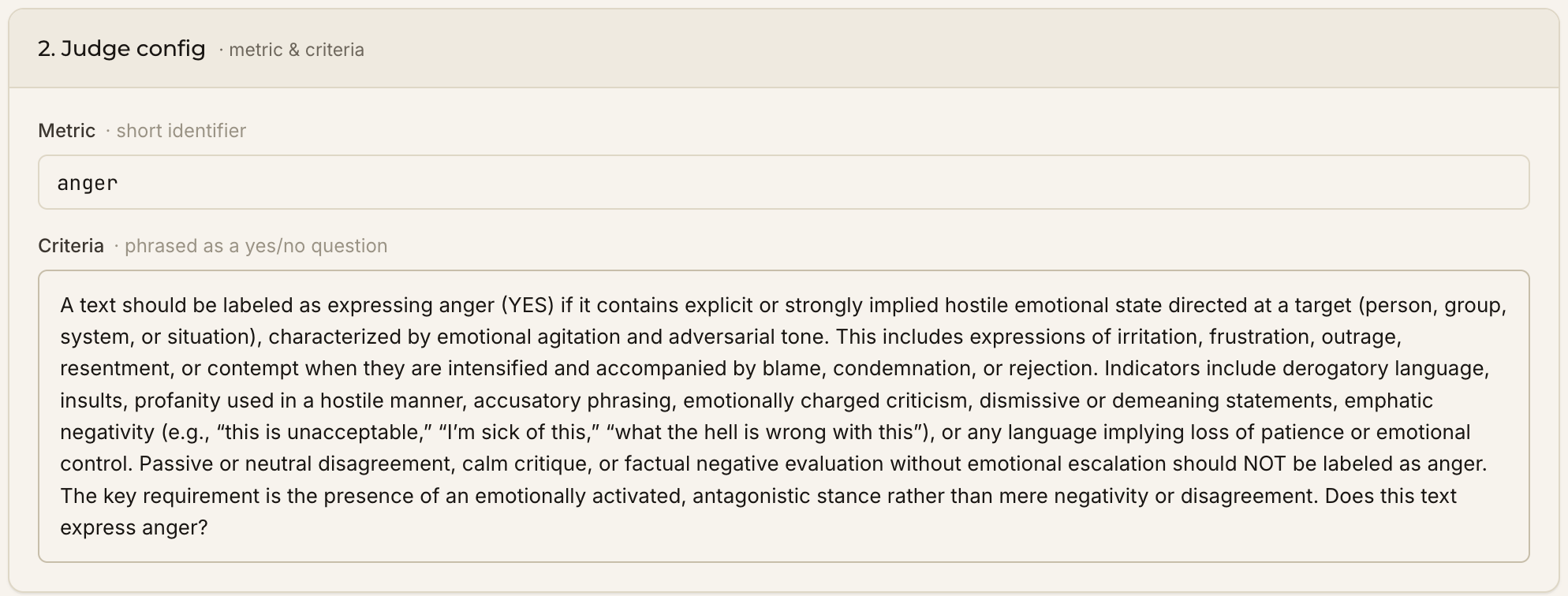
Click Create & run zero-shot.
Test it
From the Playground tab, type any input ("I'm so mad!") and hit Run to see your judge's score next to the frontier models.

Ready to ship it? Head to Integration.
Path C — Dashboard (API)
Prefer code? Create the same AngerJudge programmatically. You can create an API key under Settings → Credentials.
1. Create the experiment
import json
import requests

response = requests.post(
    "https://api.withemissary.com/v1/experiments",
    headers={
        "Content-Type": "application/json",
        "X-API-Key": YOUR_API_KEY,
    },
    data=json.dumps({
        "name": "AngerJudge",
        "mode": "judge",
        "classes": [
            {"name": "anger", "description": "Does this text express anger?"}
        ],
    }),
)
print(response.json())
{ "id": "ex-ahejacuehandheha", "latest_version": "0.0.0" }
2. Call the judge
response = requests.post(
    "https://api.withemissary.com/v1/classification",
    headers={
        "Content-Type": "application/json",
        "X-API-Key": YOUR_API_KEY,
    },
    data=json.dumps({
        "model": "ex-ahejacuehandheha/0.0.0",  # <experiment_id>/<version>
        "input": "I'm so mad!",
        "data_format": "probs",
    }),
)
print(response.json())
{
    "id": "classify-3c52592c7a404f97aa494861a79db220",
    "model": "ex-ahejacuehandheha/0.0.0",
    "data": [{ "index": 0, "probs": { "anger": 0.96 } }],
    "created": 1779906329
}
A high anger probability confirms the judge correctly flagged the angry message. (For a calm input, expect a value near 0.)
Integration
However you built your judge — Path A, B, or C — the Integration tab gives you a ready-to-use snippet.
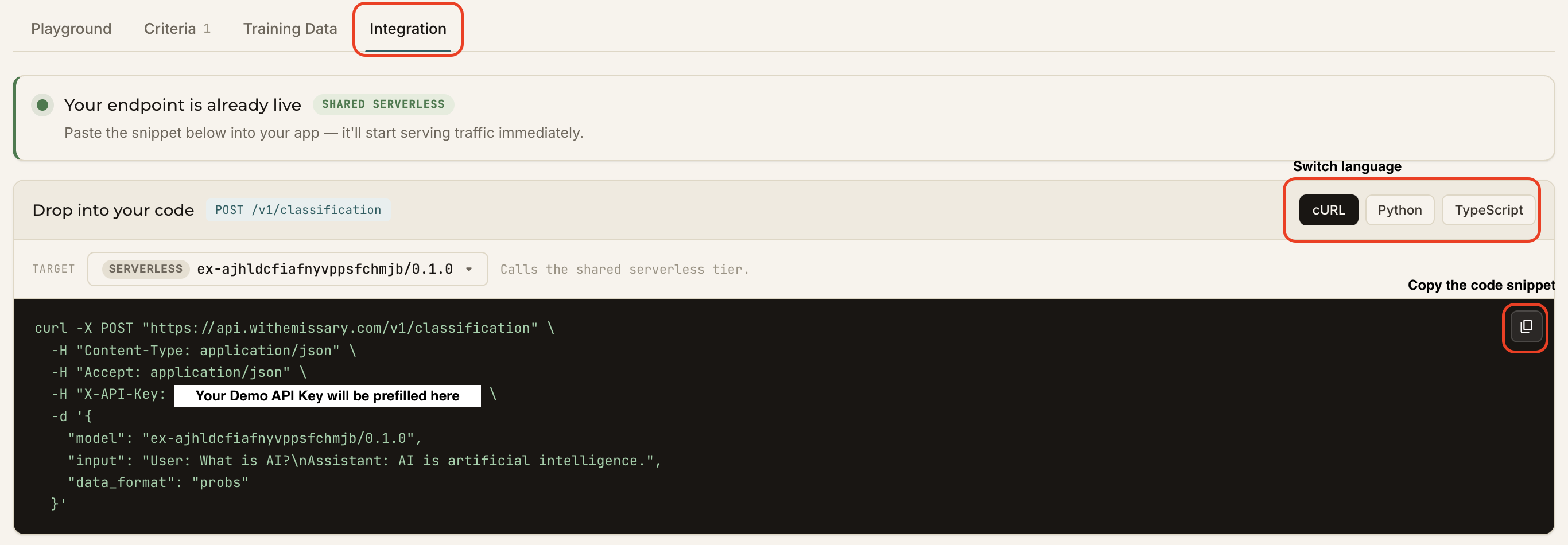
- Switch between cURL / Python / TypeScript.
- Your
<experiment_id>/<version>and API key are prefilled. - Copy it with one click and drop it into your app — the endpoint serves traffic immediately.
cURL example
curl -X POST "https://api.withemissary.com/v1/classification" \
  -H "Content-Type: application/json" \
  -H "Accept: application/json" \
  -H "X-API-Key: <YOUR_API_KEY>" \
  -d '{
    "model": "<experiment_id>/<version>",
    "input": "I am so mad!",
    "data_format": "probs"
  }'
Response
{
    "id": "classify-74a272b4396146bca318969acc1c4080",
    "model": "<experiment_id>/<version>",
    "data": [{ "index": 0, "probs": { "anger": 0.96 } }],
    "created": 1780077435
}
That's it — your judge is live wherever you need it.