Quick-train
Quick-train adapts a Decision LM to your data using a handful of labeled examples, typically 10 to 50. It trains only the classification head and leaves the language model underneath frozen, so it needs very little data and finishes in about 20 seconds.
Use it when zero-shot is close but misses your definitions or edge cases. See When to train your own to decide.
What it does and doesn't fix
A head on a frozen model redraws the boundary between your classes, using features the model already produces.
- It helps when the model already understands your inputs but draws the line between classes in the wrong place: your label definitions, your thresholds, your edge cases.
- It doesn't help when the model's features don't separate your classes at all. If quick-train plateaus, move to a LoRA fine-tune, which also adapts the model itself.
- It can't do multi-label. Multi-label output needs a LoRA fine-tune.
Before you start
- An experiment in the Playground with your classes defined. Quick-train starts from the zero-shot model, so a zero-shot experiment is all you need.
- A handful of real inputs that cover your classes, including the hard and ambiguous ones. Quick-train needs at least 5 samples.
- A few more inputs held back, which you will not train on, to check the result.
1. Build up samples
Every query you run in the Playground is logged as a labeled sample for your next quick-train. Open your experiment and run representative inputs, one at a time.
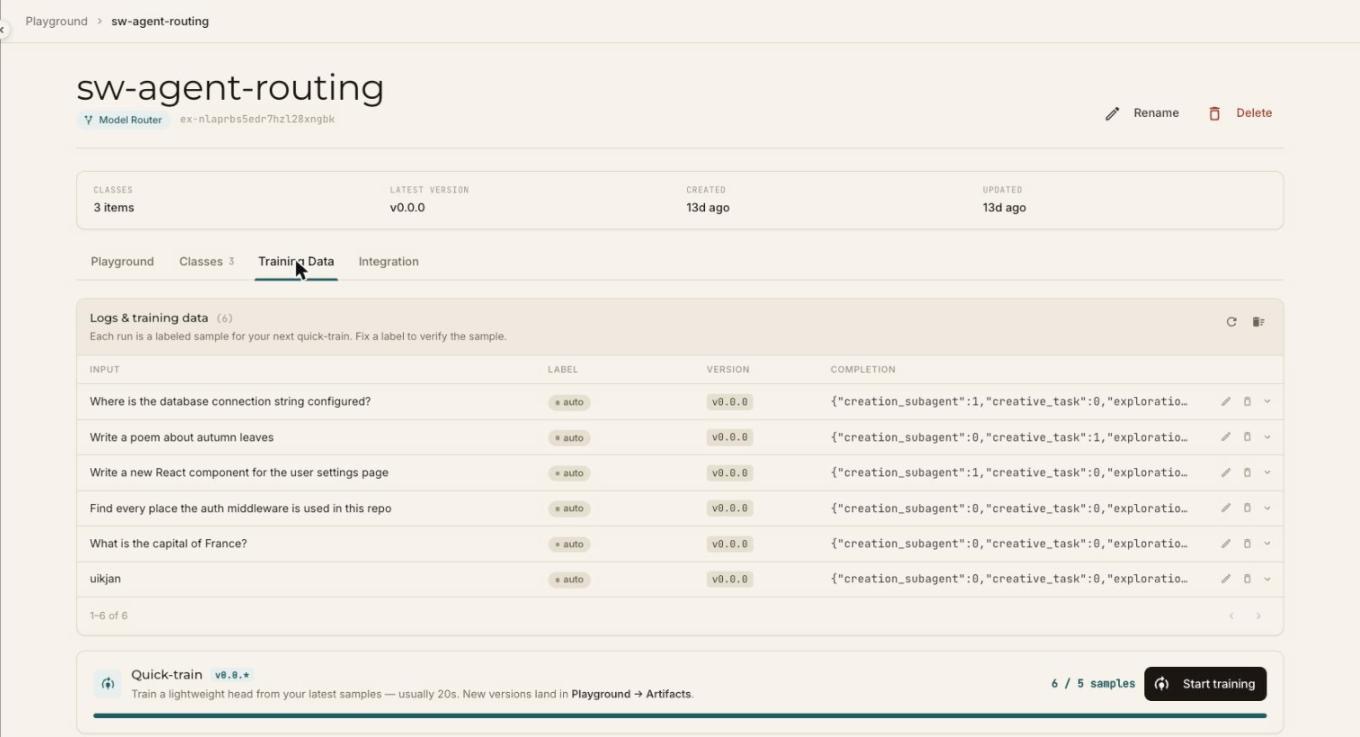
Open the Training Data tab to see them. Each row has the input, a label, the experiment version that produced it, and the completion, which is the one-hot label map the head will learn from.
2. Check the labels
Each sample starts with an auto label, which is the model's own prediction at the time you ran it. Training on auto labels teaches the head to agree with what zero-shot already says.
Check each one, and correct any that are wrong with the pencil icon on the row. This is where most of the improvement comes from, so spend your effort on the cases the model got wrong or was unsure about.
3. Start training
The Quick-train card at the bottom of the Training Data tab shows how many samples you have against the minimum, for example 6 / 5 samples. Once you meet it, select Start training.
The head trains from your latest samples, usually in about 20 seconds. When it finishes, a dialog confirms that your new version is ready and selected as the active version.
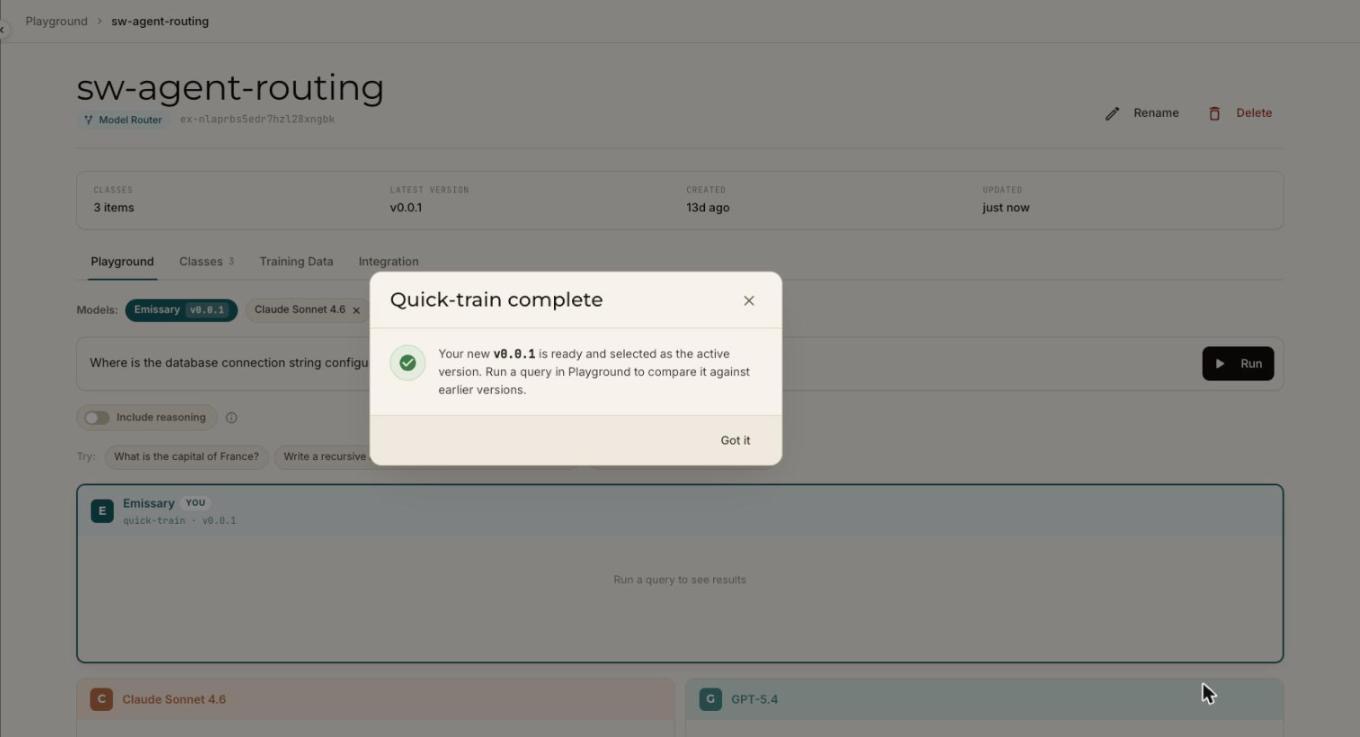
Each quick-train creates a new version, such as v0.0.1, and leaves the earlier ones in place. All versions are listed in Playground → Artifacts.
4. Compare against zero-shot
Run your held-out inputs on the new version and compare against the earlier one. Look at the probabilities as well as the top label: a head that is right more often should also be more confident when it is right.
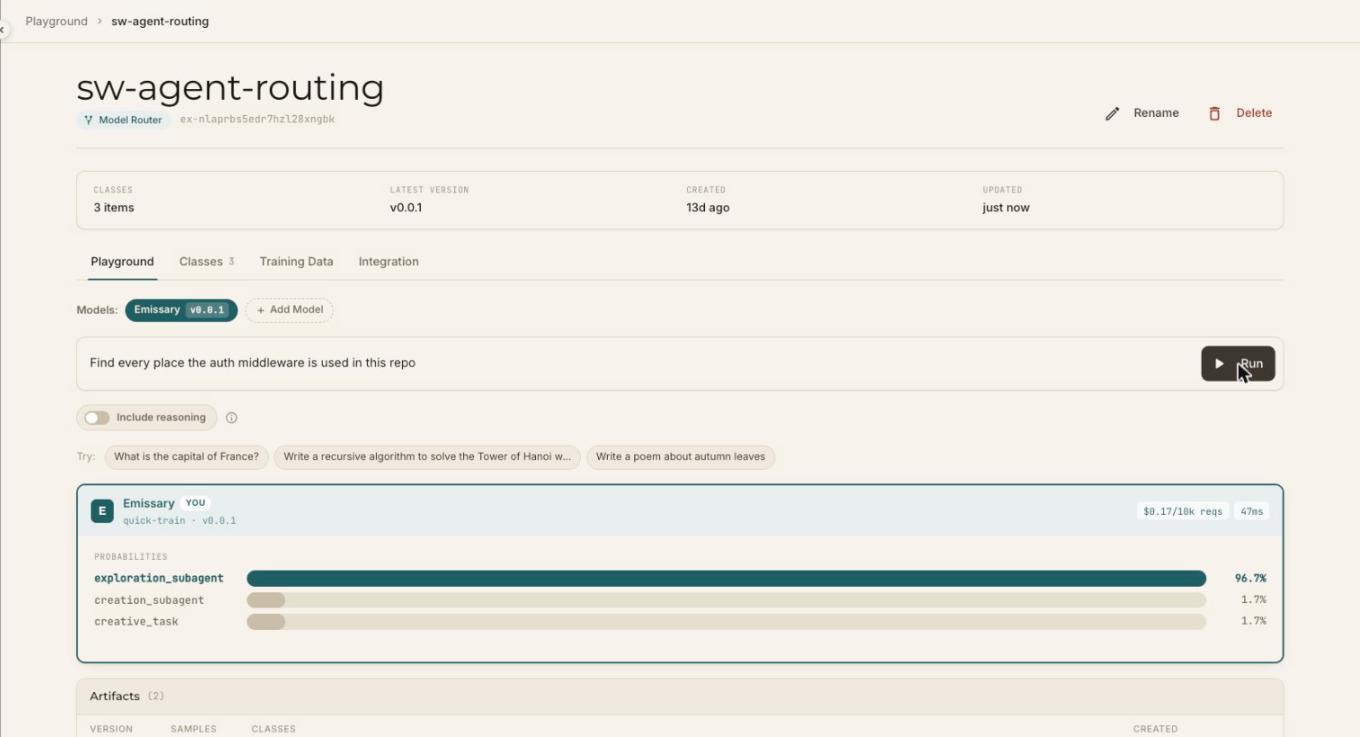
In this example, a query that zero-shot split across three classes (43% on the top class) came back at 97% on the quick-trained version. Treat a result like this with care, because that query was one of the training samples. The held-out inputs are what tell you whether quick-train generalizes.
If a version is worse, run quick-train again after adding more samples or fixing labels. The earlier versions are still there.
5. Use it
Call a quick-trained version the same way as any zero-shot experiment, with the model name <experiment_id>/<version>, for example ex-nlaprbs5edr7hzl28xngbk/0.0.1. The Integration tab has a ready-to-copy snippet with your model name filled in. See the API reference for the request and response shapes.
Next steps
- Still not accurate enough: LoRA fine-tune.
- Keep it accurate over time: Maintain your model.